
Interview with Jake Shimota, Founder of the “Boring” Excel Website Making $30K a Month

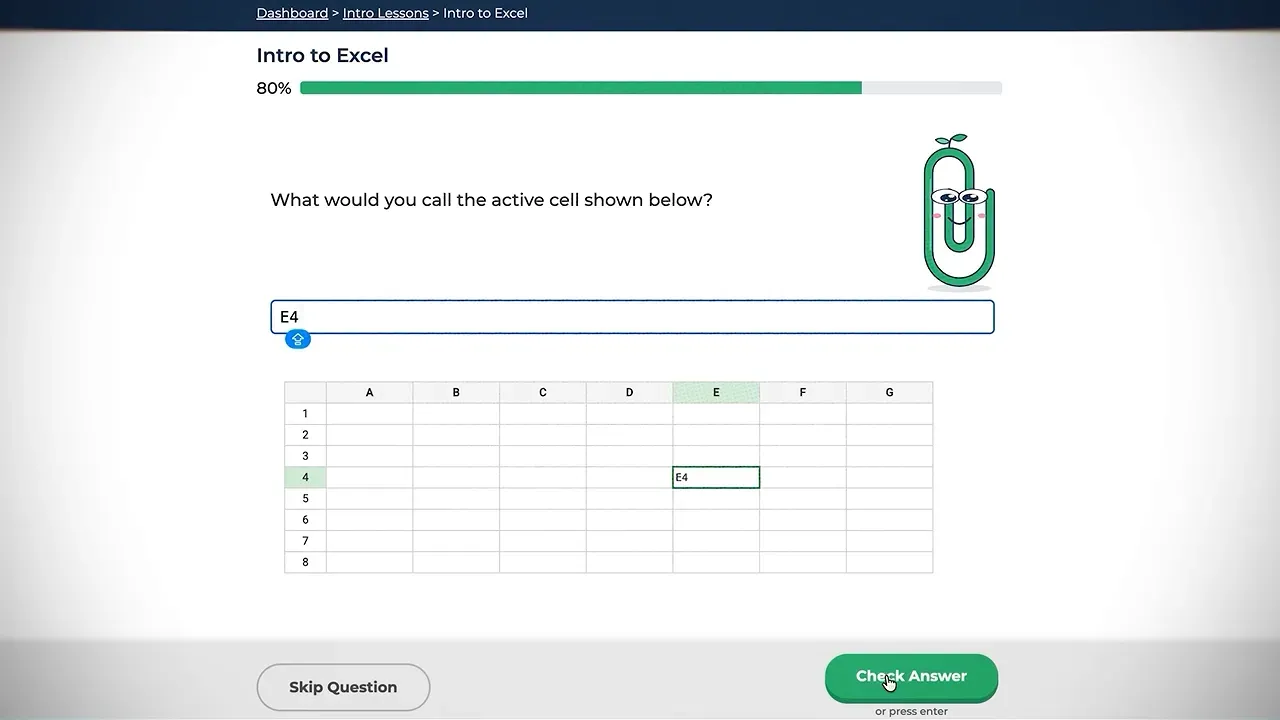
Tool fatigue starts when building the launch becomes more work than solving the problem. For creators assembling an AI-powered launch system for creators, Excel Exercises offers a useful reality check: a specific problem, a working product, and a way to charge can matter more than another dashboard. The business teaches Excel through hands-on practice. At the time of the interview, it generated roughly $30,000 to $35,000 a month. Not glamorous. Apparently, spreadsheets did not need a rebrand.
Table of Contents
- 🔎 Why This Boring Website Matters
- 🧰 The Setup: A Solo Builder Tech Stack Without the Tool Parade
- ⚙️ The Magic: Practice First, Paywall Second
- 📈 The Growth: Search Traffic Before Paid Acquisition
- 🧮 The Real Talk: Averages Can Hide an Expensive Problem
- 🛠️ What an AI-Powered Launch System for Creators Can Borrow
🔎 Why This Boring Website Matters
What does Excel Exercises actually do, and who pays for it?
Jake describes Excel Exercises as a web app that teaches Excel functions and keyboard shortcuts through interactive exercises and simulations. Instead of passively consuming instruction, learners work through spreadsheet tasks themselves.
The audience is broad, but the reason for showing up is often specific: a career transition. Some users are graduating and applying for their first job. Others are changing roles or starting work that requires stronger Excel skills.
There is also the familiar gap between being “proficient in Excel” on a résumé and being handed an actual spreadsheet on Monday morning. The product helps close that gap without turning learning into another long collection of lessons to sit through.
That distinction matters. Jake did not need to persuade people that Excel existed or that employers used it. He needed to offer a better way to learn something they already had a reason to understand.
What are the numbers behind the business?
At the time of the interview, Jake reported:
- Monthly revenue: approximately $30,000 to $35,000.
- Revenue over the previous four weeks: a little over $30,000.
- Website visitors during that period: about 50,000.
- Active paying subscribers: approximately 2,500.
Those are revenue and subscriber figures, not a statement of net profit. Hosting, email software, payment processing, and paid advertising still belong in the calculation. Small software bills do not make acquisition costs disappear.
Jake had started the project roughly five or six years earlier, working nights and weekends around employment or graduate school. He left his job about two years before the interview and said the business had grown approximately fivefold since then.
The product runs automatically enough that he can take a vacation without manually delivering each lesson. That is a useful outcome, but it came after years of building. “Simple website” and “instant business” are different sentences.
🧰 The Setup: A Solo Builder Tech Stack Without the Tool Parade
Where did the idea come from?
It started with training Jake disliked and a problem he understood firsthand.
He studied finance in college and later worked at a firm where new employees had to complete online Excel training. The material consisted of a long series of instructional recordings. He struggled to stay focused and felt he was retaining little of it.
The problem was not a shortage of information. It was the learning experience.
Later, while completing a Duolingo lesson, Jake connected the two ideas: Excel training could use a similarly interactive approach. Short tasks, repetition, and participation seemed more promising than another lengthy explanation.
His advantage was familiarity with the job and the learner’s frustration. He understood why someone needed Excel, what existing training felt like, and why completing a course was not necessarily the same as becoming capable.
Did Jake already know how to build software?
Not through his original education. After graduating, he became curious about how apps were made and published. He taught himself to code through online tutorials, Stack Overflow, and forums, often working from his parents’ basement after his day job.
He experimented with an iPhone app before starting Excel Exercises, which became his first web project.
The first working version took months. Jake pieced together code examples, changed them, and tried to make everything behave correctly. It was not an elegant engineering montage. It was repeated problem-solving with whatever information he could find.
The hardest early challenge was the spreadsheet interface. A table could resemble Excel while behaving nothing like it, and that mismatch confused people. The simulation needed familiar interactions, not just familiar-looking cells.
That was where complexity earned its place. The learner-facing promise could stay simple, but the core experience still had to work.
Which tools run the product?
Jake’s solo builder tech stack is refreshingly ordinary:
- HTML and CSS: the structure and appearance of the website.
- Vanilla JavaScript: much of the application’s interactive behavior.
- Claude: a tool he now uses for coding assistance.
- Google Cloud Platform: hosting, usually costing less than $100 per month.
- Google Analytics: analytics at no charge.
- SendGrid: email marketing, which he reported costing $35 per month.
- Stripe: payments, with processing fees.
This was a coded web app, not a collection of no-code startup tools connected after the fact. The important point is not that one approach wins. It is that Jake kept the operating setup small and spent effort on the product’s actual job.
Claude appears in the current workflow, but it did not originate the customer problem or validate the business. AI helps with implementation. It does not retroactively become the business model.
⚙️ The Magic: Practice First, Paywall Second
How did the first version get validated?
Almost accidentally. Jake built the early site directly on the public internet, without separate development and production environments. He had not promoted it and did not consider it ready.
Then a stranger paid $50.
His first reaction was disbelief. The site looked rough enough that he could barely imagine trusting it himself. Over the following weeks, more sales arrived.
For Jake, those purchases were stronger evidence than encouragement from people who had never used the product. Customers wanted the underlying idea enough to pay despite the weak presentation.
That does not turn his deployment setup into a recommended technical practice. The useful lesson is narrower: a product can encounter real demand before its creator feels comfortable calling it finished.
In this case, the early sales gave him a reason to keep improving. The validation was not that the design was good. It was that the problem mattered.
Why offer free lessons before asking for payment?
Excel Exercises uses a freemium model: several lessons are available upfront, followed by a hard paywall.
Jake considers the free experience necessary because many people have never used this kind of Excel training. A description can explain that the product is interactive, but a working exercise makes the difference concrete.
The path is straightforward:
- A visitor starts a free lesson.
- The lesson asks for a spreadsheet action.
- The application responds to the attempt.
- The learner experiences the teaching method.
- Continuing beyond the free lessons requires payment.
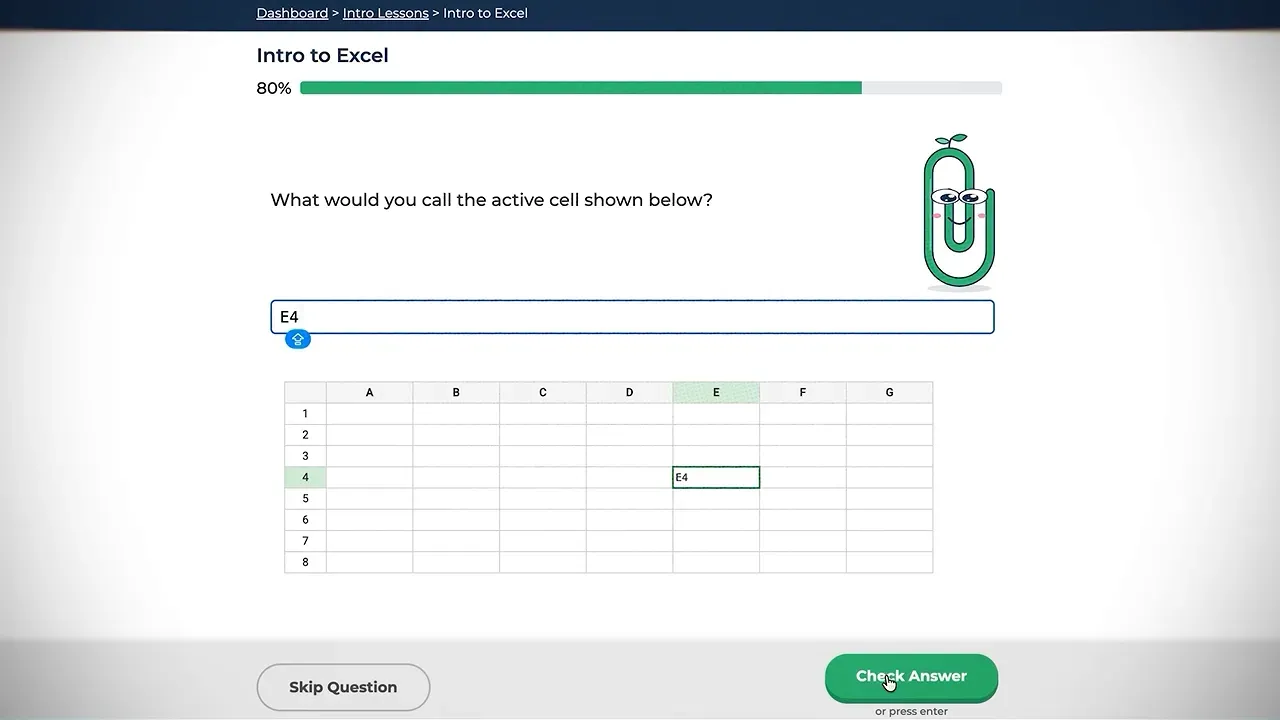
The free portion is not a separate giveaway that happens to mention a paid product. It is a sample of the product itself. That keeps the promise and the purchase closely connected.
What makes the exercises more than a spreadsheet-themed quiz?
The product includes a lesson dashboard, leaderboards, and realistic projects. Some projects involve downloading a data file and following instructions to create a dashboard. Most exercises happen directly in the browser.
Jake demonstrates a lesson on SUMIF, including the sum range argument. The task asks the learner to calculate the total amount for orders containing more than three units.
He deliberately enters the comparison criteria without quotation marks. The application identifies the problem and explains that the criteria need quotes.
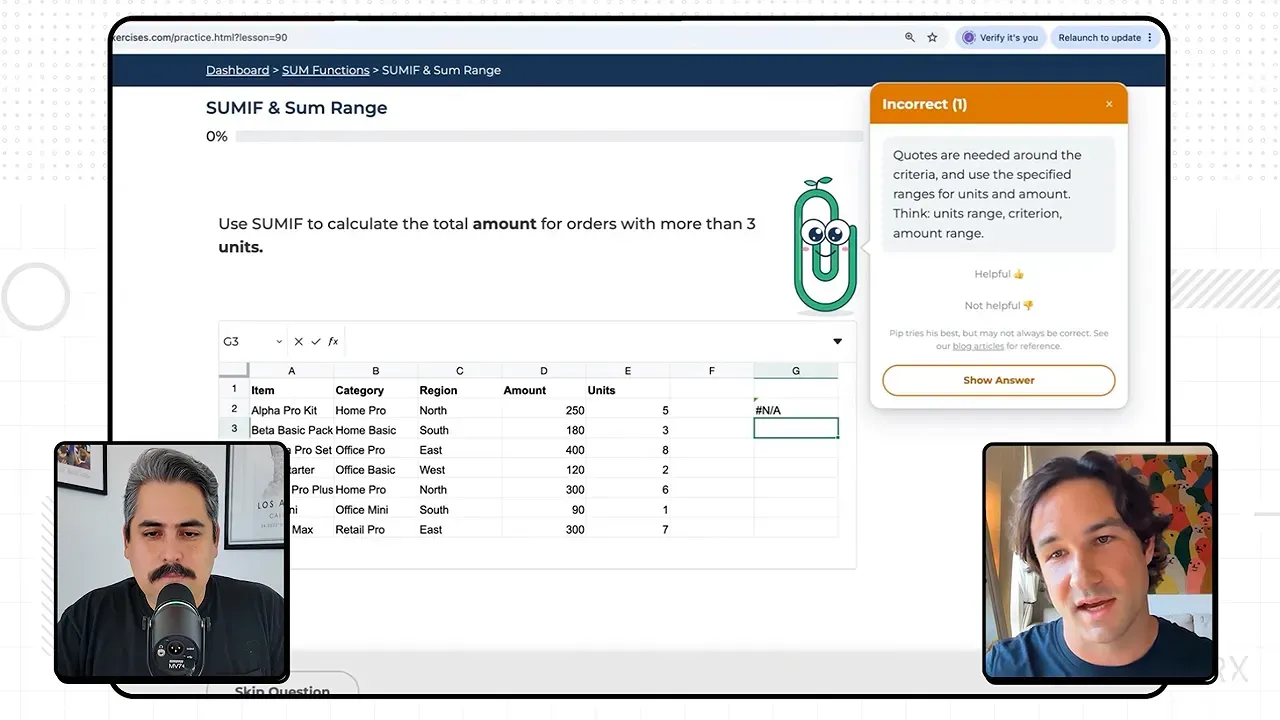
That feedback is the product doing its job. It catches a specific mistake at the moment someone makes it, rather than leaving the learner to wonder why a formula failed.
Correct answers earn points and unlock progress through the lessons. Repetition supplies the practice. The leaderboards add another reason to return, and Jake points out one account with activity on almost every day for a year.
The interface is simple to explain because the learning cycle is simple: attempt, feedback, correction, repeat.
📈 The Growth: Search Traffic Before Paid Acquisition
How did Excel Exercises grow from zero to roughly $10,000 a month?
Jake made a few early Reddit posts, but search engine optimization became the main growth driver.
He published articles about Excel functions and added substantial explanatory content across the site. The most important change was less fashionable: he put roughly 1,500 to 2,000 words on the homepage.
That copy explained what the product did, how the exercises taught Excel, and why the approach differed from passive instruction.
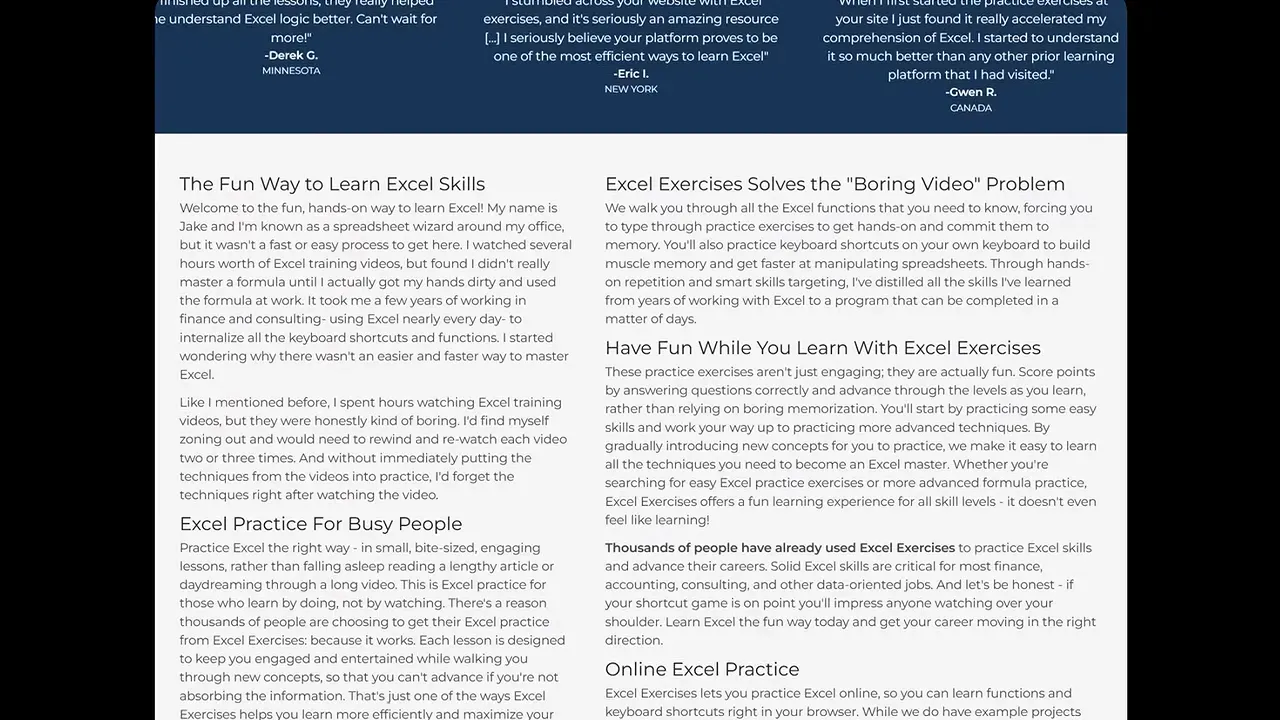
Jake credits that content with helping the site get indexed and attract search traffic. More importantly, he found that the homepage attracted high-intent visitors who became customers.
Some marketing advice told him the page had too much text. He kept it because it was producing sales. The homepage apparently failed to read the rulebook.
The takeaway is not that every landing page needs 2,000 words. It is that useful explanation can serve both discovery and conversion. Removing it because a generic design rule prefers fewer paragraphs would have ignored what was working.
What changed between $10,000 and $30,000 a month?
Paid advertising was the biggest turning point. It also changed how Jake evaluated the business.
With organic traffic and low operating costs, another subscription had looked highly attractive. Paid acquisition introduced a different set of questions: how much did a customer cost to acquire, and how much would that customer probably generate?
University and corporate deals also accelerated growth. Individual learners would try the product, find it useful, and recommend it internally. A manager might then contact Jake about signing up 50 people.
That is product-led growth without requiring a complicated explanation: someone benefits, tells a colleague or boss, and a larger purchase follows.
The sequence matters. Jake first had a product people would pay for and recommend. Advertising and group purchases then expanded its reach. Buying traffic was not a substitute for finding something useful to sell.
🧮 The Real Talk: Averages Can Hide an Expensive Problem
Which financial mistake held growth back?
Jake relied too heavily on average customer lifetime value and average customer acquisition cost.
Lifetime value, or LTV, estimates what a customer generates over the relationship. Customer acquisition cost, or CAC, measures the cost of acquiring that customer. His blended LTV-to-CAC ratio was about three to one, which looked healthy to him.
Yet growth was slower than expected.
He exported payment data into a spreadsheet and separated monthly subscriptions from annual subscriptions. The difference was substantial:
- Annual customers: very profitable.
- Monthly customers: barely profitable.
- Monthly customer acquisition payback: roughly four or five months.
The average had bundled two different situations into one reassuring number. Discounts, bundles, prices, and subscription types can make that summary less useful than it appears.
Jake doubled the monthly price while leaving the annual price unchanged. He reports that growth accelerated afterward.
That is not a universal instruction to double prices. It is an instruction to inspect the segments before trusting the summary. The spreadsheet was more useful than the reassuring dashboard.
🛠️ What an AI-Powered Launch System for Creators Can Borrow
What should a solo builder test first?
Jake’s clearest advice has two parts: choose a problem with which the builder has intimate familiarity, then get a working solution into people’s hands sooner.
Copying a profitable app category is not the same as understanding its customers. Familiarity helps a builder recognize the user’s goals, expectations, and frustrations. Without it, copying features can become an expensive guessing exercise.
His experience suggests a practical sequence for a small launch:
- Name the familiar frustration. Jake started with ineffective Excel training.
- Build the smallest useful experience. The value was hands-on spreadsheet practice.
- Make it accessible to real users. Private polishing cannot produce purchase evidence.
- Let the product demonstrate its difference. Free exercises made the method understandable.
- Develop distribution around actual demand. Search came first, then paid acquisition and group deals.
- Separate the economics. Different plans can produce very different businesses.
For an AI-powered launch system for creators, the sensible remix is to use AI where it helps implementation while keeping demand, product quality, and pricing grounded in evidence. Jake’s current use of Claude fits that distinction. His business is not evidence that an AI funnel can manufacture demand.
The first test does not need a ceremonial launch or an expanded software subscription collection. It needs a useful experience and someone outside the builder’s own browser willing to try it.
The clear takeaway: solve one familiar problem, expose the solution to real customers, and inspect the numbers closely enough to know what is working. Excel Exercises is a successful example of that sequence, not a guarantee of comparable results. The boring part is the category. The useful part is the discipline.